AI assistant for NZ mortgage advisers

You ask.
Lendo prepares.
You approve.

Lendo drafts the emails, documents and numbers for each client. You check them, then approve with one tap. Nothing goes out until you say go.

See how it works

On your phone, on your desktop and in Slack.
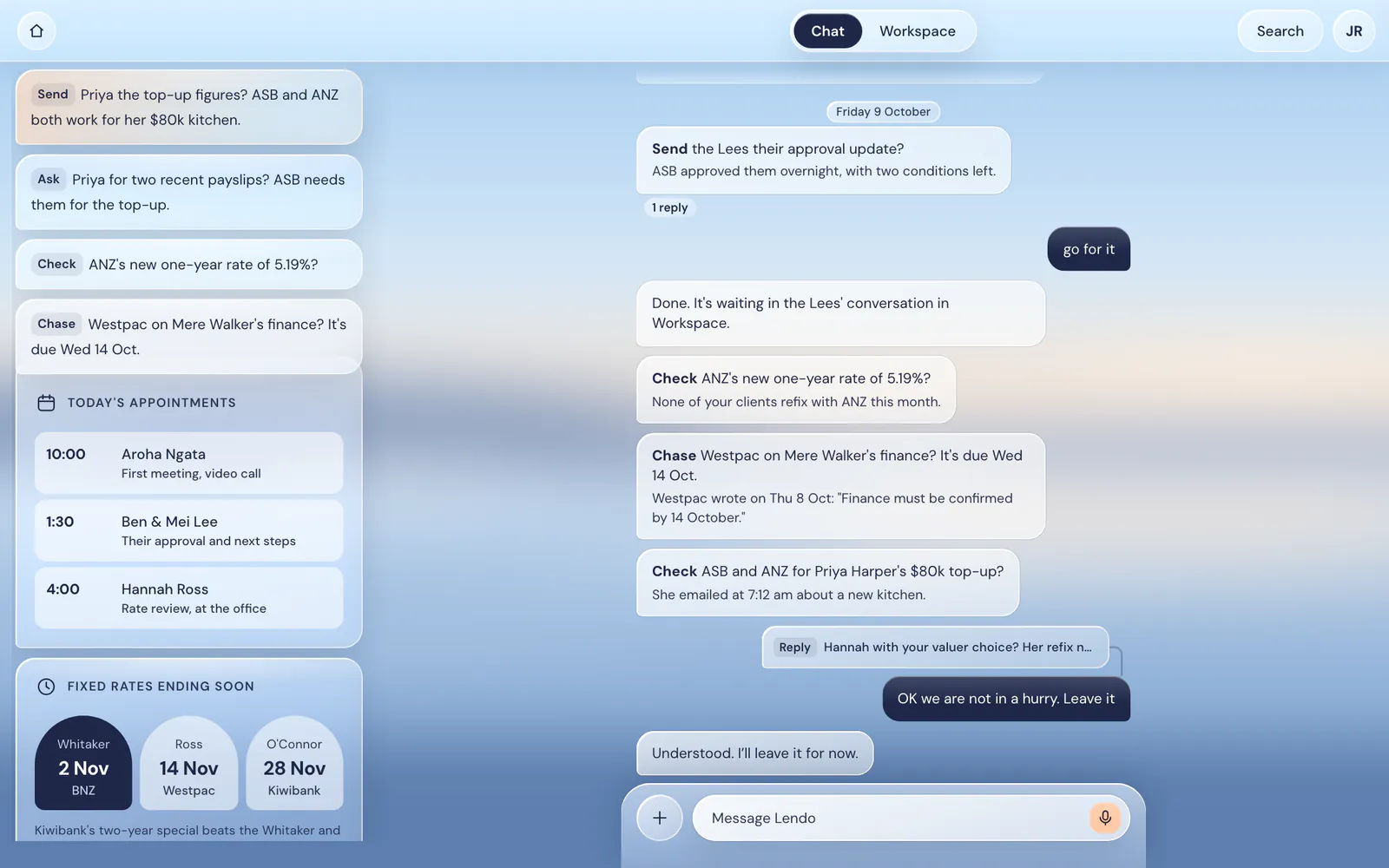
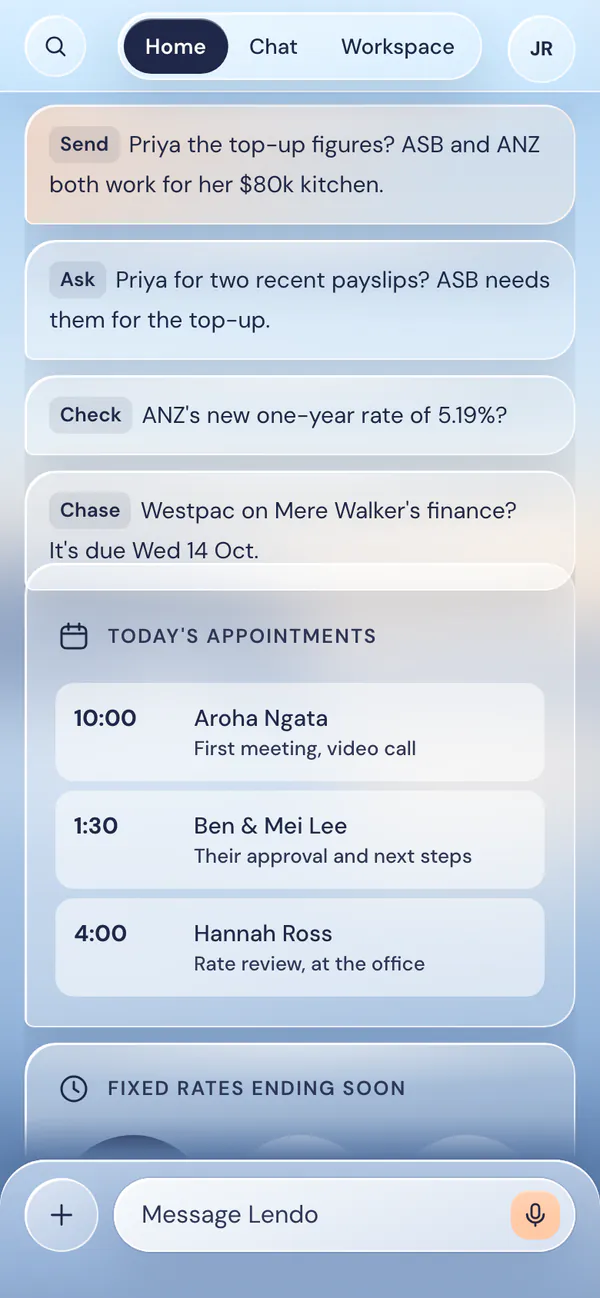
Lendo in a desktop browser. On the left, Home: one-line cards such as Send Priya the top-up figures?, today's appointments and fixed rates ending soon. On the right, the Chat conversation.
Lendo's Home screen on a phone. Each card is one line: Send Priya the top-up figures? Ask Priya for two recent payslips? Below sit today's appointments.
Home: what needs you, one line each. The real app, with made-up clients, on desktop and phone.

How it works

Three steps.
You stay in charge.

Lendo does the preparing. Every decision, and every send, is yours.

  1. 1

    You ask.

    Ask in plain words. In Chat for anything, or in a client’s own conversation.
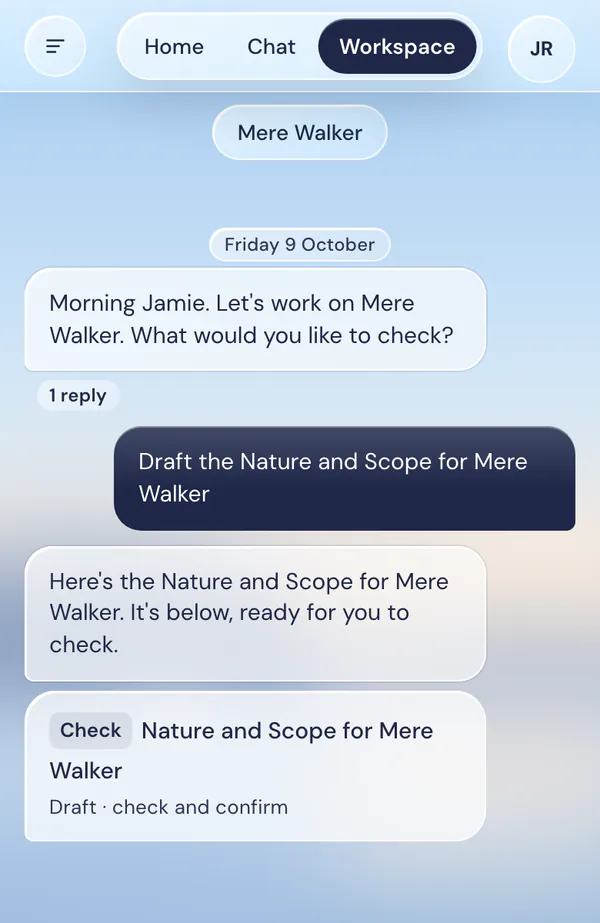
    Mere Walker's conversation. The adviser asks: Draft the Nature and Scope for Mere Walker. Lendo replies that it is ready to check, with a Check card below.
  2. 2

    Lendo prepares.

    It writes the draft from what’s on file, with your practice’s logo and details. Tap any part to change it.
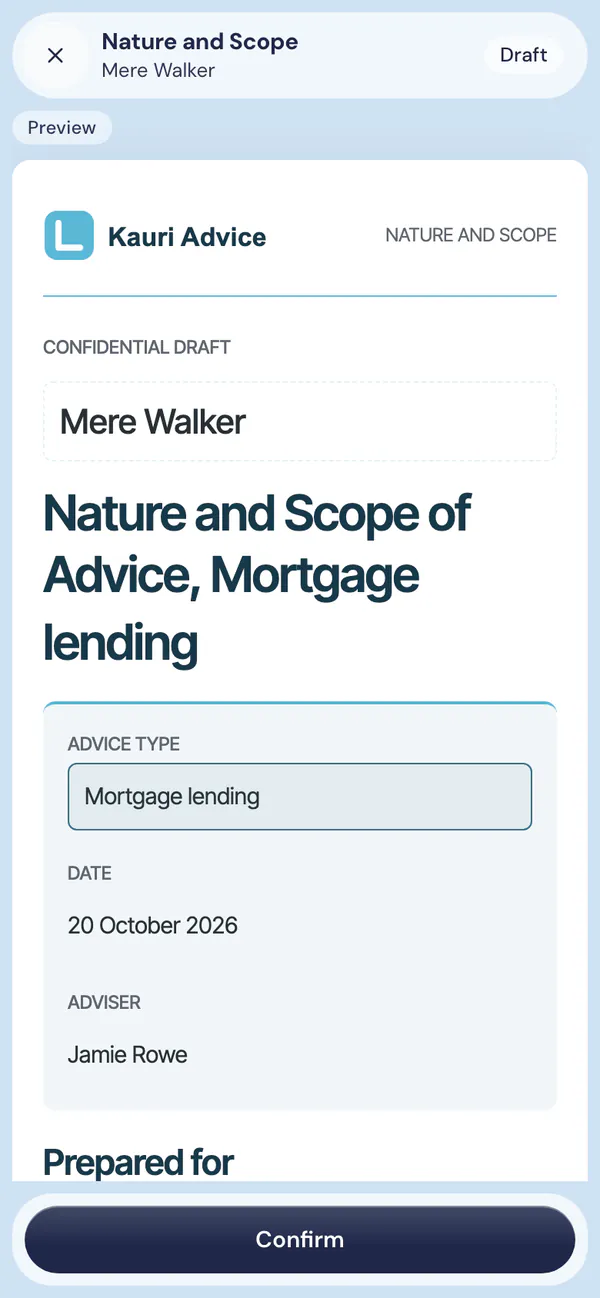
    Mere Walker's Nature and Scope of Advice draft open on the phone, with a Confirm button at the bottom.
  3. 3

    You approve.

    Press Send and it goes from your own email. Or press Not now. Nothing goes without you.
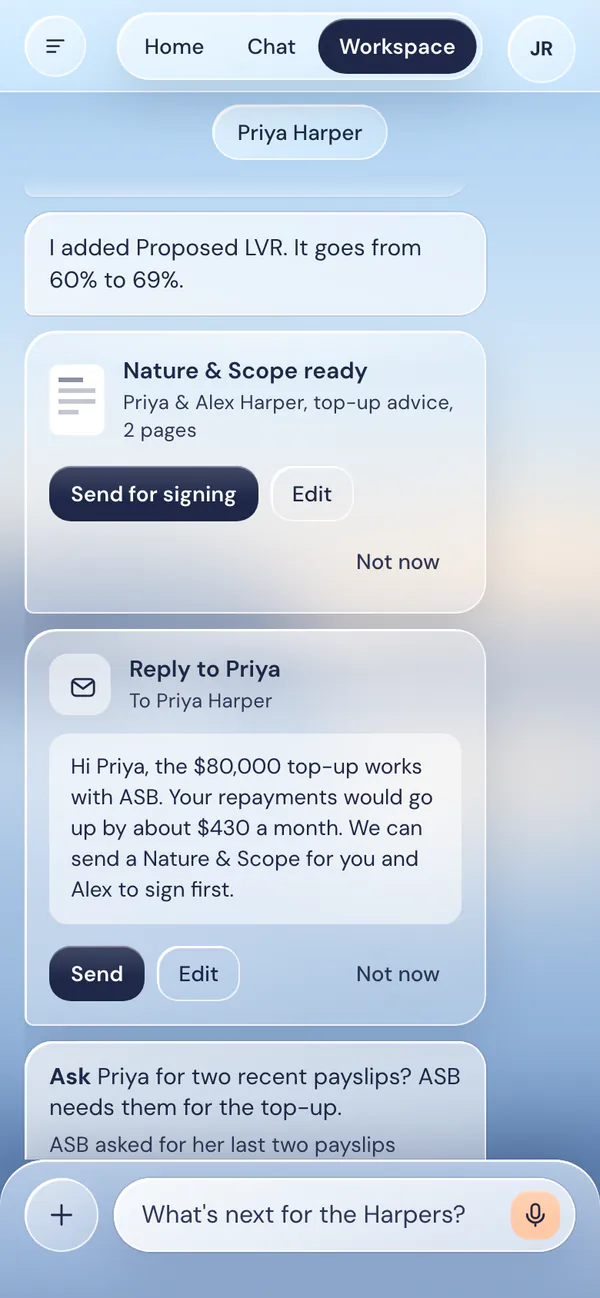
    A Nature and Scope card for Priya and Alex Harper with Send for signing, and a drafted reply to Priya with Send, Edit and Not now buttons.

Servicing

The numbers,
when you ask.

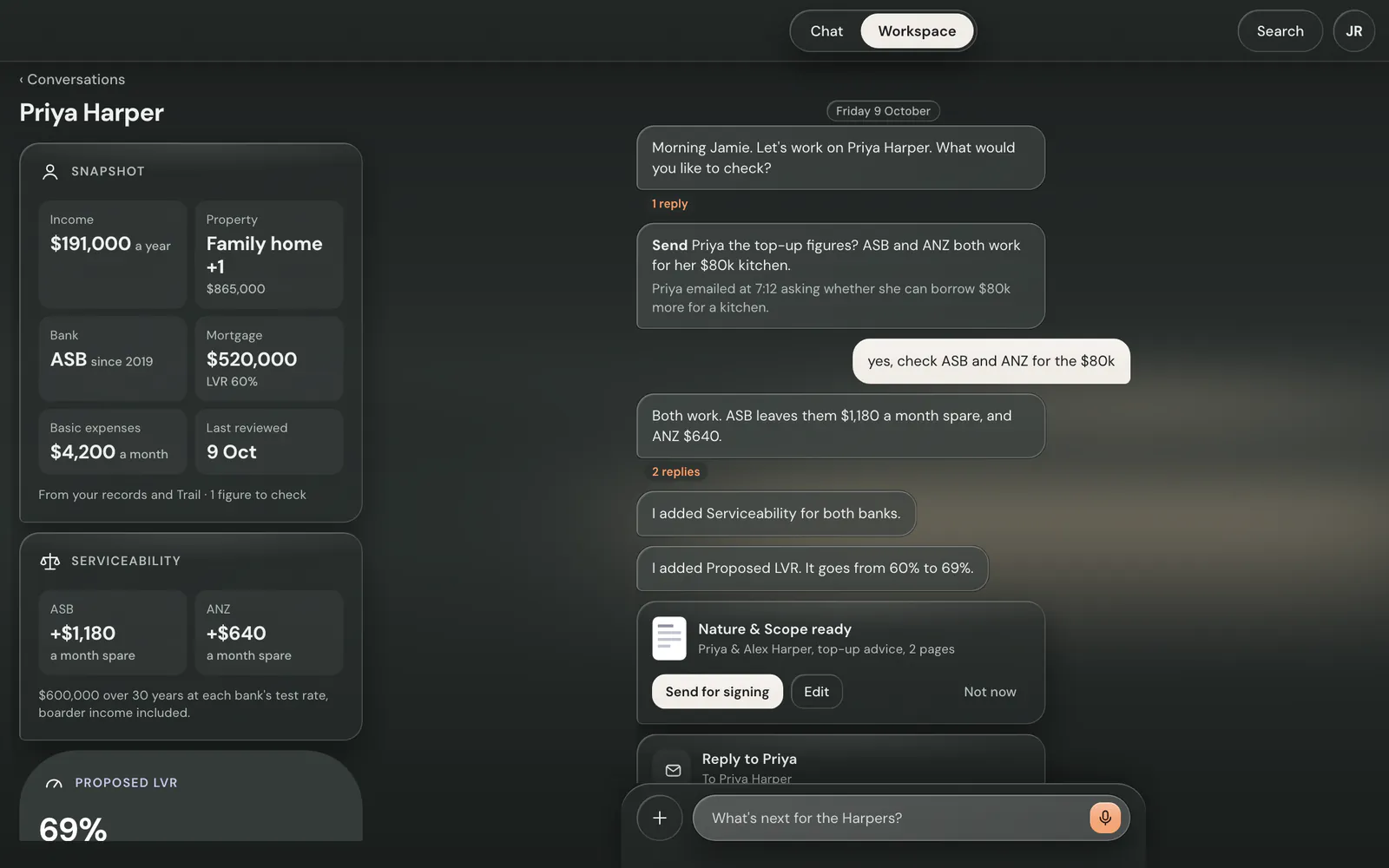
Ask if a deal services and Lendo runs the lender calculators. The answer lands as a panel beside that client’s conversation.
  • ANZ, ASB, BNZ, Westpac, Kiwibank, CCB, BOC, Avanti and Kāinga Ora.
  • Each lender’s own test rate and expense benchmark, built in.
  • A pre-assessment to guide you. Never a lending decision.
“Check ASB and ANZ for the $80k top-up.”
Priya Harper's conversation in a desktop browser. Its own panels sit on the left: Snapshot, Serviceability (ASB plus $1,180 and ANZ plus $640 a month spare) and Proposed LVR at 69%. The conversation is on the right.

Lender policy and rates

Policy answers,
with the source.

Lendo searches a held library of lender policy guides and rate cards. Answers name the guide, page and date they came from.
  • Rate cards and policy updates added as lenders send them.
  • Ask in the client’s conversation and the answer uses their figures.
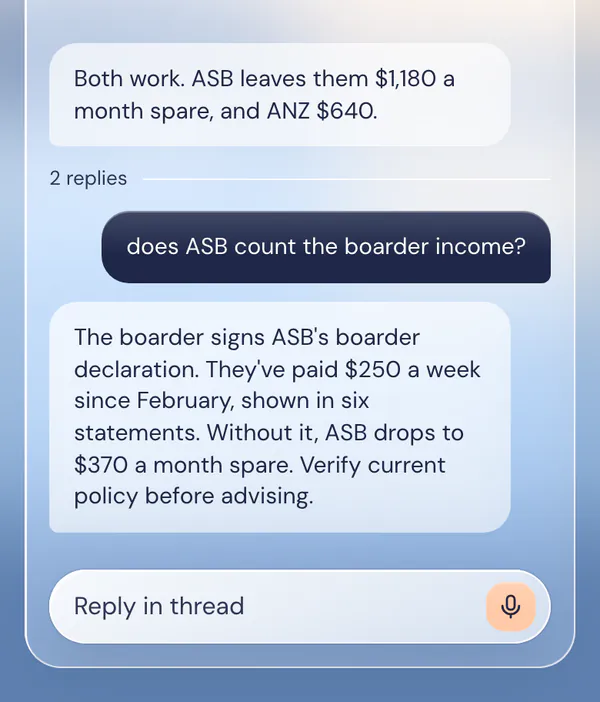
“Does ASB count the boarder income?”
A thread in Priya Harper's conversation. The adviser asks whether ASB counts the boarder income, and Lendo answers with the figures.

Documents

Drafted for you.
Checked by you.

Nature and Scope, Authorisation & Declaration, credit memos and file notes, drafted from what’s on file. The statement of advice is where it all comes together.
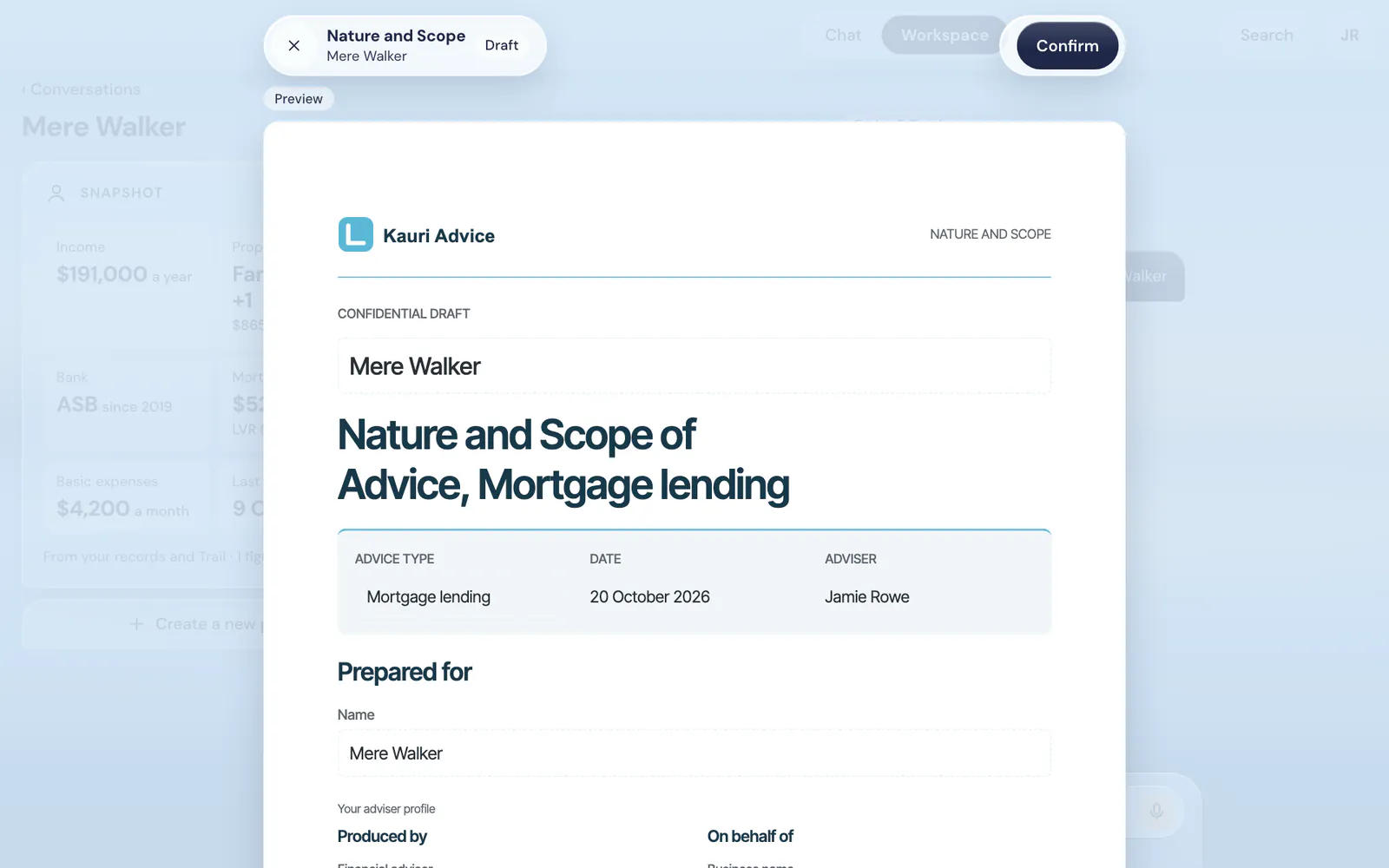
  • A preview of the real page. Tap any part to change it.
  • Confirm a version and the PDF matches it word for word.
  • Your practice’s logo and firm details on every page.
A Nature and Scope of Advice draft open in a desktop browser, for Mere Walker, marked Draft, with a Confirm button.

Trail

Trail stays right.
On your say-so.

Lendo reads your clients’ details from Trail. When something needs changing, it shows you the exact values first.
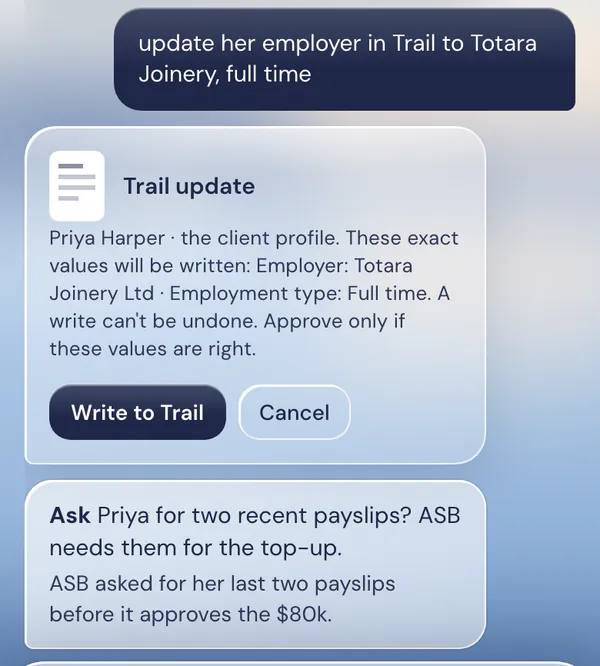
  • Nothing is written until you press Write to Trail.
  • Only the values you approved. Cancel and nothing changes.
“Update her employer in Trail.”
A Trail update card for Priya Harper, listing the exact values to be written, with Write to Trail and Cancel buttons.

Email

Replies, ready
when you are.

Lendo drafts the reply right where you’re working on the client. Edit it, press Send, and it goes from your own Gmail.
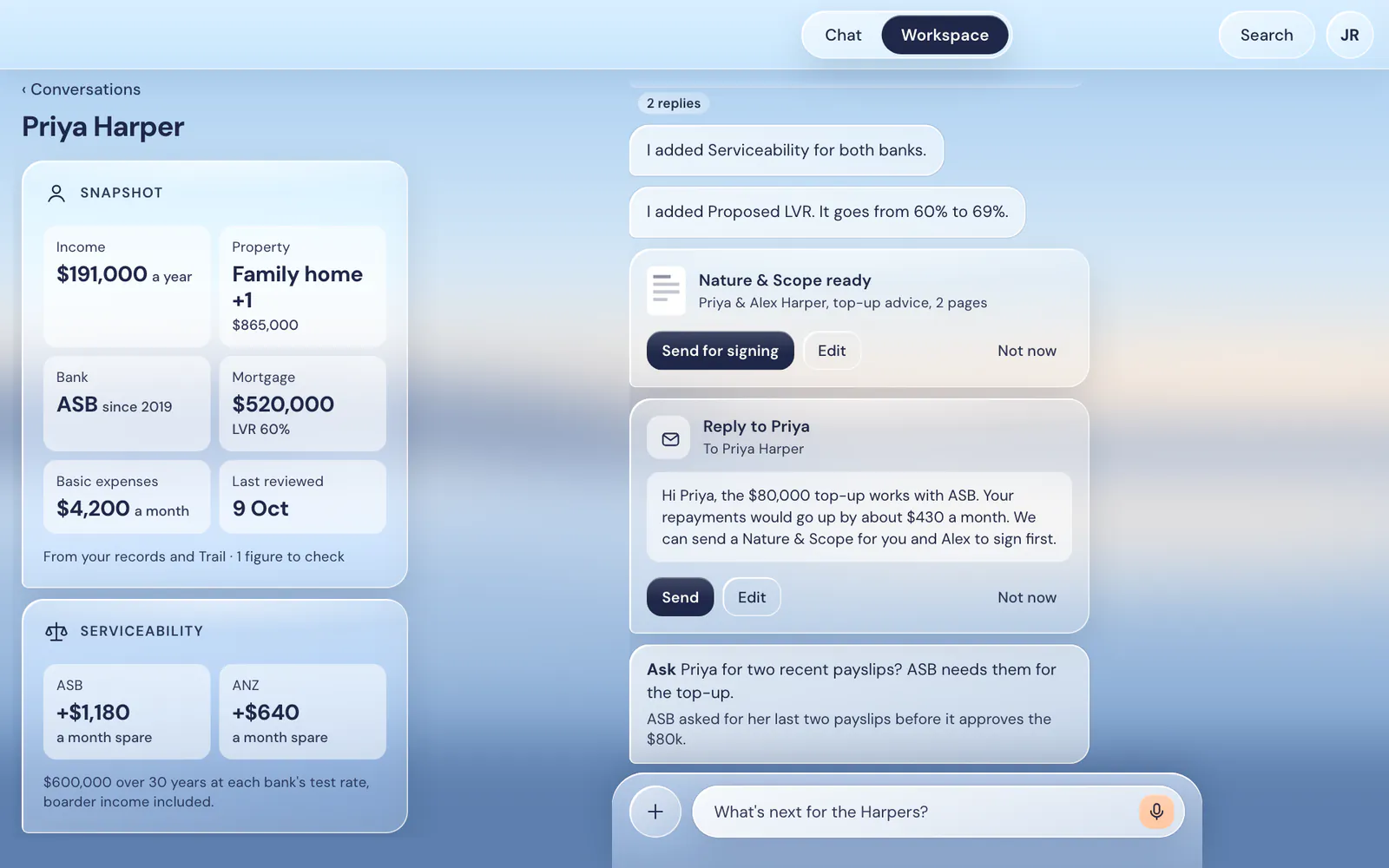
  • Client and lender emails pulled out from the noise.
  • Not now leaves it. Nothing is sent for you.
Priya Harper's conversation in a desktop browser, with a Nature and Scope card and a drafted reply to Priya with Send, Edit and Not now buttons. Her panels sit on the left.

And the rest of the file

The work around
every client.

The welcome pack

The Trail fact-find link, your Authorisation & Declaration, your Nature and Scope and the Statement of Position, together in one email. It goes from your email when you press Send.

Meeting file notes

Record a meeting and Lendo writes the file note. Any new figures it hears wait for you to confirm.

Client documents, read

Payslips, bank statements and valuations. Each figure Lendo finds shows the page it came from. You confirm it.

Settlement notices

When a bank confirms a settlement, Lendo tells you, with an estimate of the commission.

Appointments

Every booking request becomes a card. Nothing goes in your Google Calendar until you approve it.

Bank forms

ANZ, ASB, BNZ, Kiwibank and Westpac forms filled from what you’ve confirmed. Signatures are left for you.

An assistant, not another CRM

Lendo prepares.
You decide.

  • Nothing goes without youEmails, bookings and Trail changes wait for your press.
  • From your own emailLendo sends from your Gmail, on your go.
  • Your words stay yoursEdit any draft. What you confirm is what goes out.
  • Phone or desktopOn your phone or in your browser at app.lendo.kiwi. And in Slack.

Say hello to your
new assistant.

Once you’re invited, sign in at app.lendo.kiwi with Google. Add your details, or let us help.

Let’s get acquainted

Let’s talk
about your day.

Tell us a little about yourself and what you’d like Lendo to help with. We’ll call you within 24 hours.

We’ll use these details to respond to your enquiry and arrange your callback. FormSubmit delivers your message to Lendo by email. Privacy